

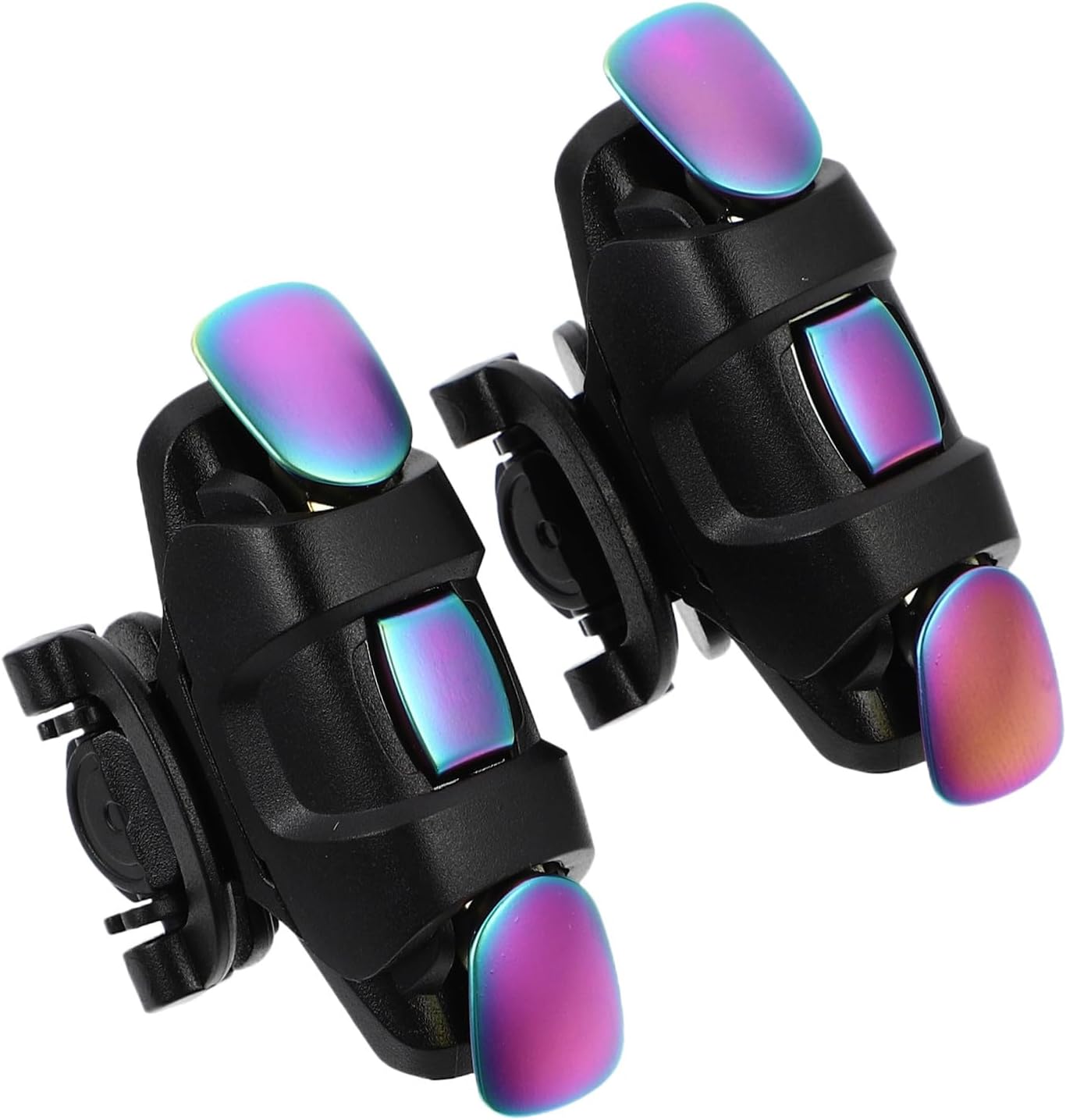
Improved Conductive Mobile Game Trigger Clip Design, Combo 2in1 with Silver Fiber Thumb Gloves, 6 Finger Shoot for All Phone, for PUBG/Fortnite/COD
Product details
| Management number | 234027734 | Release Date | 2026/06/27 | List Price | US$5.40 | Model Number | 234027734 | ||
|---|---|---|---|---|---|---|---|---|---|
| Category | |||||||||
How to Use? step 1. Start your game, and clicks the Settings-Control-Customize. step 2. Move the "FIRE" button to the top of left corner. step 3. Move the "AIM" button to the top of right corner. step 4. Adjust the shoot and aim buttons under the touchpad,of the cell phone game controller. step 5. "Save" your settings. step 6. When the setting is completed, you need to lock your screen and unlock the screen again, and then these buttons will work normally. Please Turn off/on screen if there is any touch screen problem. Our Mission Let the Mobile Games feels like experience on PC. Package Included: 1Pair Game trigger K5 1Pair Fox finger sleeves
- 【Upgrage Capacitance Conduction Technology, Zero Delay in Response Time】real-time response by sending capacitance signal, simulates human hand touch and mouse like mechanical click, and feels PC like game experience on smart phone.
- 【Second Generation Highly Sensitive Contacts,Precision Touch】Upgrade the soft silicone pad inside the clip, which allows the trigger to be closely attached to the phone and keep touching.The contact is highly sensitive and will not break.
- 【Mechanical Touch, crisp click sound】4 triggers PUBG mobile controller designed for longevity with greater durability and responsiveness, more than 2 million click. Fast mechanical keys with medium resistance, precise actuation, audible click sound, and tactile bump feedback. Easy To Use, High Sensitive, Physical Button Feedback.
- 【Back clip design, No remove case】ease of use,perfect compatibility for all phones without remove your case.With the improved phone clip, the trigger can run flawlessly at critical times without slipping away.
- No Battery Needed,Free Fox Finger Sleeves The K5 capacitive game trigger mobile phone gaming triggers do not require any batteries. With free a pair of Silver Fiber finger sleeves, take your gameplay to the next level.
| UPC | 791665806983 |
|---|---|
| ASIN | B0CYGG84TF |
| Color | black |
| Brand Name | rinsfox |
| Model Name | RM |
| Item Weight | 77.99 Grams |
| Manufacturer | rinsfox |
| Power Source | Battery Powered |
| Button Quantity | 4 |
| Controller Type | Push Button |
| Package Quantity | 1 |
| Hardware Platform | Smartphone |
| Compatible Devices | PC |
| Additional Features | Touchpad |
| Included Components | 1pair gaming finger sleeves, 1pair gaming trigger |
| Warranty Description | 1year |
| Connectivity Technology | USB |


Bestseller ranking
Triggers




Customers who viewed this product also viewed
General

Correction of product information
If you notice any omissions or errors in the product information on this page, please use the correction request form below.
Correction Request Form